
A Realistic Higher-Education Deployment Scenario
A leading Taiwanese university wanted instructors to move between lecture halls, seminar rooms, and hybrid teaching spaces without rebuilding their presentation workflow for every room. For confidentiality, the institution is anonymized; this is a representative scenario that shows how a university can plan a CastGo deployment, not a claim about a named customer.
The goal was practical: let faculty and guest speakers share a laptop, tablet, or phone to an existing projector or display with fewer cables, fewer adapters, and less classroom downtime. The university selected CastGo as the wireless projection system for a phased rollout.
The Challenge: Every Teaching Space Had a Different Workflow
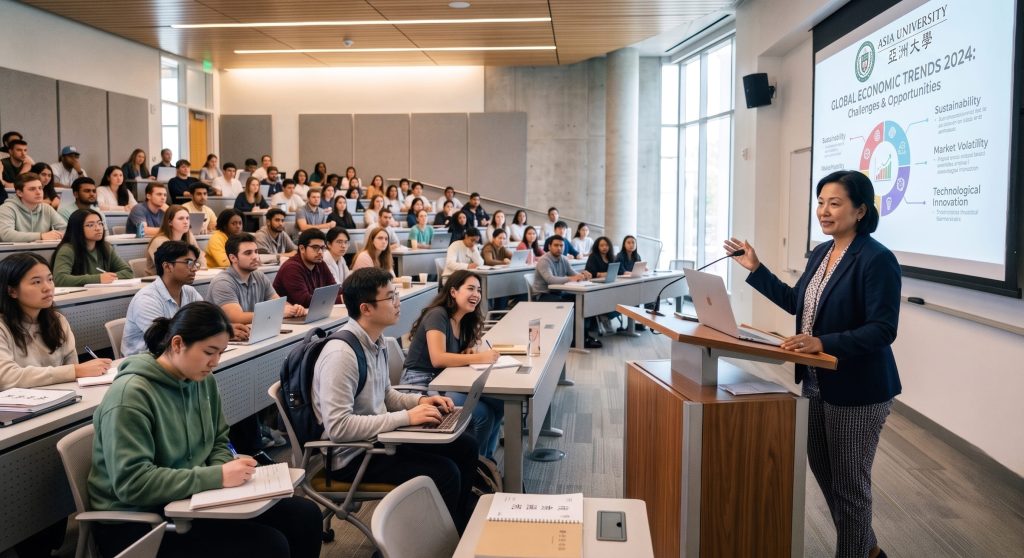
Before the rollout, the AV experience varied by room. One classroom depended on an HDMI cable, another needed a USB-C adapter, and a third required a presenter to find the right input before class could begin. Those small differences created avoidable friction for faculty and IT staff.
- Faculty arrived with a mix of Windows laptops, MacBooks, iPads, Android phones, and guest devices.
- Existing projectors and displays were still useful, so replacing every screen was not the preferred answer.
- IT needed a repeatable setup that was easy to explain, document, and support across campus.
The university’s planning team therefore evaluated wireless projection as an operating model, not just a single piece of AV hardware. Its reference point was the site’s existing analysis of wireless display for schools, then it mapped the requirements to the CastGo product family.
The Scenario: A Phased CastGo Rollout
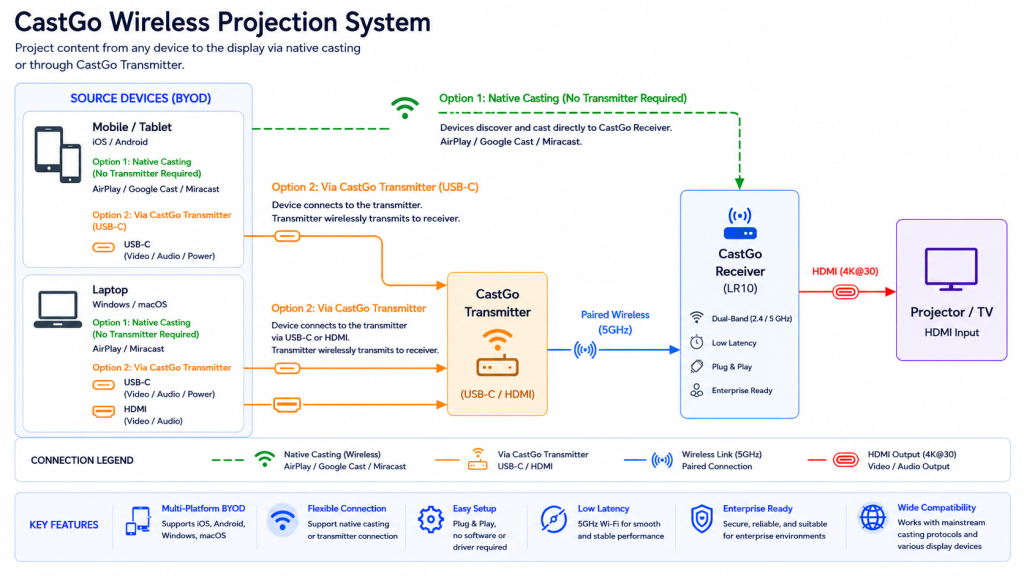
CastGo connects a receiver to a screen or projector through HDMI. Depending on the device and network environment, presenters can use a paired transmitter or a native wireless display protocol. The official Cast Go product information lists AirPlay, Miracast, and Google Cast support, while the CastGo product page on NimbleTech’s site provides the product context for local teams.
| Campus need | CastGo design choice | Why it mattered |
|---|---|---|
| Lecture halls | Receiver connected to the existing projector or display | Preserved the room’s current AV investment while simplifying source switching. |
| Seminar and faculty rooms | Paired transmitter for presenter-led sharing | Created a consistent “connect, press, present” routine for scheduled sessions. |
| BYOD and guest devices | AirPlay, Miracast, or Google Cast when supported | Reduced dependence on a single operating system or a special app. |
| Multi-room events | Use multi-receiver casting where the selected CastGo configuration supports it | Made it possible to mirror one source to several displays without redesigning the event workflow. |
For the project team, the important distinction was between a device feature and a deployment standard. CastGo could support several connection paths, but the university still documented which path to use in each room, who owned the receiver, and how presenters could get help.
Why CastGo Fit the Existing AV Environment
The first advantage was compatibility with the rooms already in place. A receiver could feed an HDMI projector or display, which allowed the university to modernize the presentation layer without treating every classroom as a construction project. Teams comparing requirements can also review NimbleTech’s wireless display guide before standardizing room types.
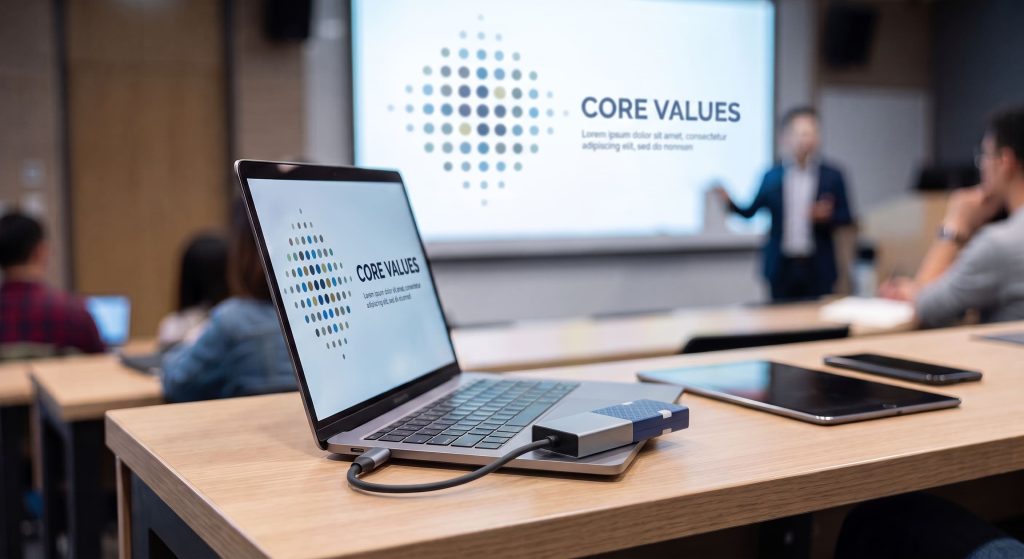
Beyond BYOD connectivity through AirPlay, Miracast, and Chromecast/Google Cast, CastGo also includes a transmitter-side option with Type-C and HDMI inputs. This gives faculty and guest presenters a flexible, predictable way to connect when native casting is unavailable or when they need a direct connection to the room display.
The second advantage was a clearer presenter experience. The official Cast Go information describes a transmitter that is paired with the receiver and can start mirroring with a button press. That simplicity mattered in teaching spaces where a professor may have only a few minutes to prepare and where a guest lecturer should not need an IT tutorial.
The third advantage was a better fit for mixed-device classrooms. Native protocols can help users connect from the platforms they already carry, while a transmitter offers a more controlled path for presenters who need a predictable start. The university’s support team treated those paths as complementary rather than forcing every user into one method.
The Deployment Playbook
1. Start with room profiles
IT grouped rooms by display type, teaching format, and presenter profile. Large lecture halls received a receiver and a short on-screen quick-start guide. Smaller seminar rooms were prioritized for transmitter-based sharing because those rooms had frequent presenter turnover.
2. Make the first minute repeatable
Each room received the same basic instructions: wake the display, select the correct input, connect through the approved CastGo path, and confirm that audio and video are routed correctly. The goal was not to hide every technical detail; it was to make the first minute predictable enough that instructors could focus on teaching.
3. Pilot with real teaching sessions
The team tested a mix of lecture slides, browser demonstrations, video clips, and collaborative discussion. It also included guest devices because a system that works only for the IT department is not a campus standard. This pilot-first approach follows the same practical logic as NimbleTech’s wireless display case study: evaluate the room workflow, not just the specification sheet.
What Success Looked Like
Because the university kept the institution and measured results private, this scenario does not assign invented percentages or claim a specific return on investment. Instead, the rollout defined success in operational terms:
- A presenter could identify the approved connection path without searching for an adapter.
- Faculty could move between supported device types with less room-specific troubleshooting.
- IT could document room configurations and replace a receiver without redesigning the whole teaching workflow.
- Students could see the same lesson flow in a lecture hall, seminar room, or hybrid session.
That is the value of a wireless projection system for universities: not a promise that every technical issue disappears, but a consistent layer between the presenter’s device and the room’s display.
Questions to Ask Before a University Rollout
- Which rooms can keep their existing HDMI displays, and which need an AV refresh?
- Will faculty and guests primarily use transmitters, native casting, or both?
- How will the network, receiver placement, and access rules be documented?
- What does the help desk need to know before the first semester begins?
- Which pilot sessions will represent real teaching conditions rather than a controlled demo?
Answering those questions early makes CastGo part of a repeatable campus service instead of another isolated classroom accessory. For teams evaluating the hardware itself, start with the CastGo product information and then validate the connection model in the actual rooms where teaching will happen.
Frequently Asked Questions
Can CastGo work with a university’s existing projector?
In a typical setup, the CastGo receiver connects to the projector or display through HDMI. The university should confirm the projector’s available input, resolution, audio path, and mounting or power requirements before deployment.
Do faculty need to install an app to present?
Not always. CastGo can support native AirPlay, Miracast, and Google Cast workflows on compatible devices, while a transmitter provides another route for presenters who want a paired, button-based connection. The exact experience depends on the device and network configuration.
Is the university in this case study a named customer?
No. The institution is intentionally anonymized, and the article is a representative deployment scenario. It is designed to help higher-education teams think through room profiles, presenter workflows, and support requirements without implying a public customer endorsement.
What should IT test during a CastGo pilot?
Test the actual devices and teaching formats that matter: Windows and macOS laptops, iOS and Android devices, browser demonstrations, video playback, audio routing, guest access, and recovery after a receiver or network interruption. A short pilot in representative rooms usually reveals more than a single desk demonstration.
A Practical Next Step
A university does not need to redesign every classroom to improve wireless presentation. By profiling rooms, standardizing the connection path, and piloting with real instructors, a team can use CastGo to create a calmer, more consistent presentation experience across campus.
Product facts in this article are based on official Cast Go product information from Amulet and NimbleTech’s product materials. Deployment details are an anonymized, representative scenario.