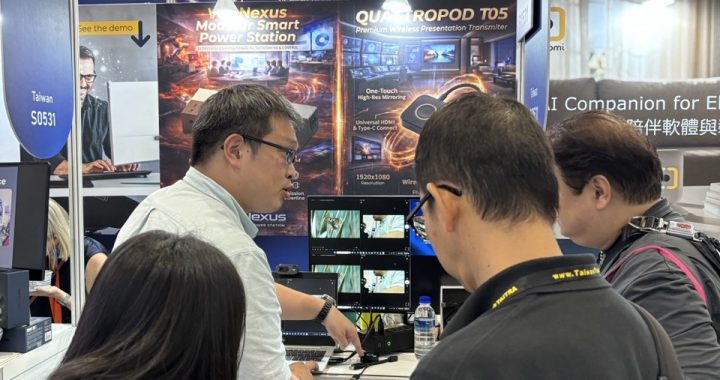
The landscapes of corporate boardrooms and higher education environments are undergoing a massive architectural shift. As witnessed at COMPUTEX 2026, the reliance on traditional, rigid AV cabling is rapidly declining. Enterprise IT managers, system integrators (SIs), and AV professionals are now demanding solutions that not only eliminate cable clutter but also address the stringent requirements of network security, infrastructure flexibility, and hybrid meeting compatibility.
Deploying traditional wireless presentation systems often introduces significant challenges, such as Wi-Fi congestion in dense corporate environments and complex cross-subnet configurations. To build a truly agile workspace, organizations must adopt next-generation wireless collaboration frameworks that bridge the gap between high-performance hardware and robust enterprise IT infrastructure.
The Evolution of Meeting Spaces: From BYOD to BYOM
The concept of Bring Your Own Device (BYOD) has transitioned from a modern luxury to a basic baseline requirement. Today, the focus has shifted entirely toward Bring Your Own Meeting (BYOM). Standard screen sharing is no longer sufficient for modern boardrooms that host daily hybrid conferences across platforms like Microsoft Teams, Zoom, and Webex.
In a typical BYOM scenario, a user walks into a meeting space and wirelessly connects their laptop to the room’s display, while simultaneously taking control of the room’s USB conference cameras, microphones, and soundbars. This requires massive bandwidth and ultra-low latency, as dual-way audio and video data must flow seamlessly between the user’s device and the room’s peripherals. Solutions failing to optimize this data flow often suffer from dropped frames, audio desynchronization, and disrupted meetings—ultimately increasing the overhead for internal IT support teams.
Disrupting Corporate AV Architecture: NimbleTech’s Core Innovations
To solve these persistent deployment bottlenecks, NimbleTech unveiled three breakthrough wireless presentation and collaboration hardware architectures at COMPUTEX 2026. Each solution targets specific pain points faced by enterprise deployment teams.
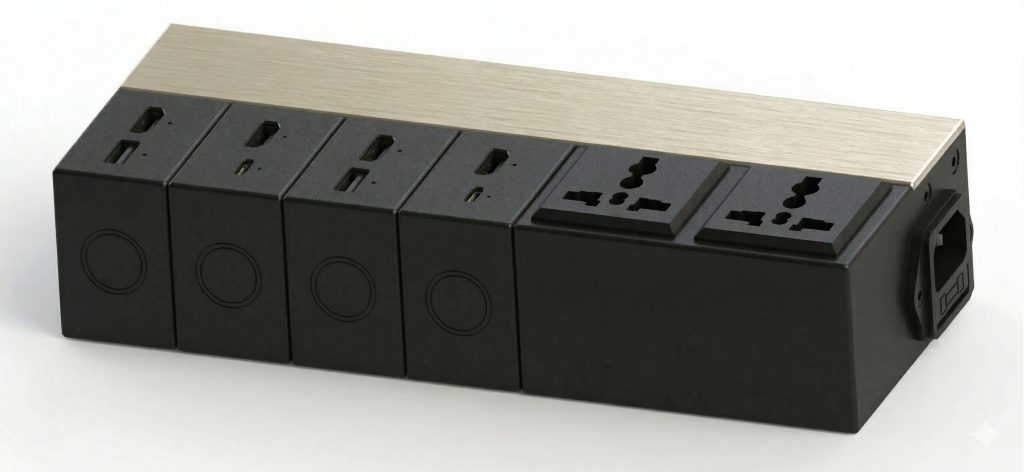
1. VoltNexus (PLC): Redefining Connectivity Through Powerline Communication
For historical buildings, large convention centers, or heavily shielded concrete boardrooms, wireless RF interference can completely cripple standard Wi-Fi presentation hardware. The NimbleTech VoltNexus solves this by implementing Wireless Display through Powerline Communication (PLC).
By modulating AV data directly onto existing electrical wiring, VoltNexus circumvents crowded corporate Wi-Fi spectrums entirely. Its innovative modular design allows IT administrators to hot-swap transmitter, receiver, USB, Wi-Fi, or Ethernet modules, tailoring the physical connectivity to the precise requirements of any architectural footprint without ripping out walls to lay down expensive CAT6 or fiber lines.
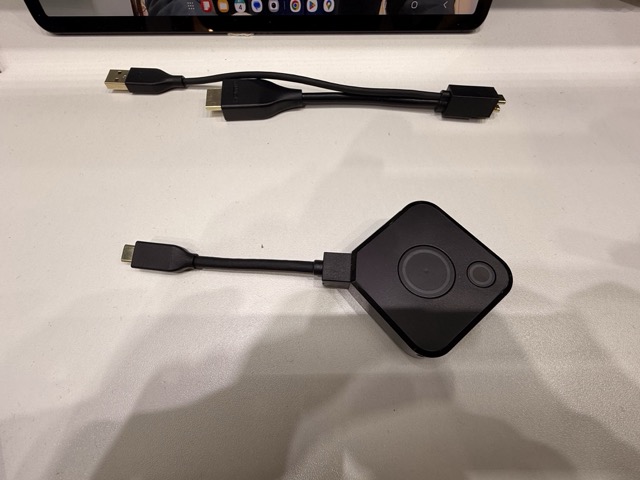
2. QuattroPod T05: The Unified BYOM Transmitter with QuickSwap Functionality
Legacy wireless systems often force users to carry a mess of different dongles to accommodate various laptop ports. The QuattroPod T05 streamlines this entire experience by integrating the functionalities of previous QuattroPod USB and T02 transmitters into a single, unified enterprise transmitter.
Designed specifically to power high-end BYOM workflows, the T05 features an advanced QuickSwap function. This hardware innovation allows users or on-site AV technicians to physically replace the input cable module with an HDMI or Type-C connector in seconds. This ensures full compatibility with diverse guest laptops and modern enterprise hardware fleets, reducing hardware redundancy and ensuring that presentations start instantly without IT intervention.
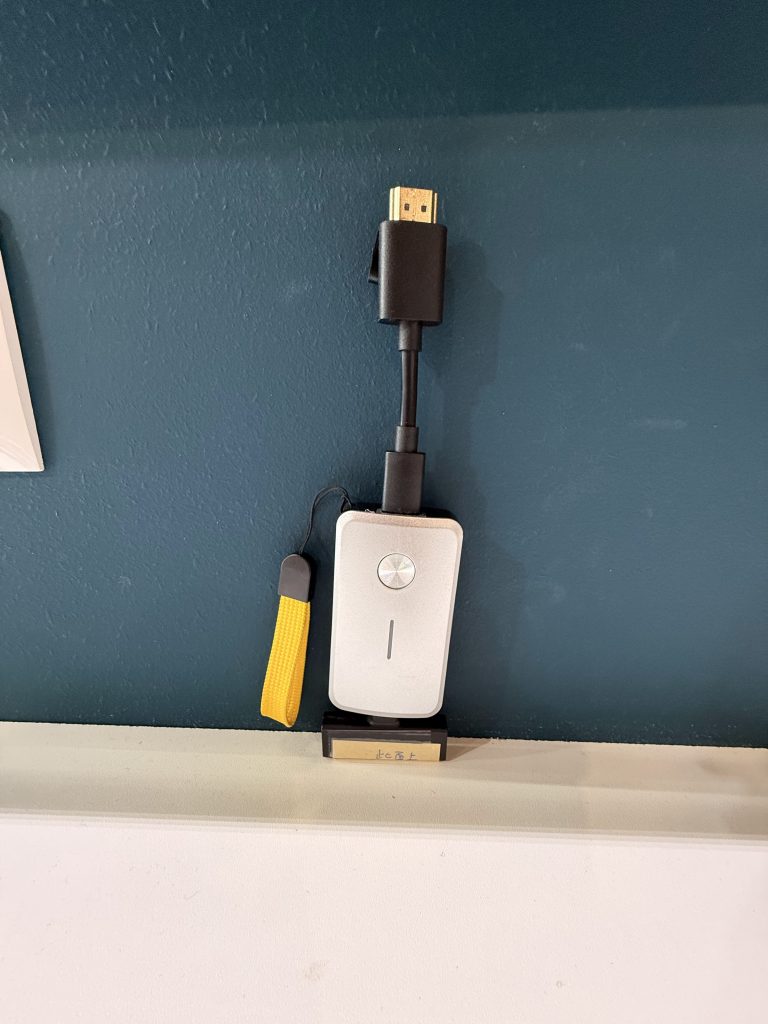
3. CastGo Pro Dongle III (D20): 4K60 Visual Performance over Wi-Fi 6e
When high-density deployment is required across entire campuses or multi-floor corporate offices, spectral congestion on the 2.4GHz and 5GHz bands routinely causes packet loss and display stuttering. The CastGo Pro Dongle III (D20) directly addresses this density crisis by moving operations to the pristine 6GHz spectrum using integrated Wi-Fi 6e technology.
- 6G Channel Isolation: Utilizing the wider, non-overlapping 6GHz channels ensures the D20 operates with significantly less signal interruption from neighboring corporate networks.
- 4K@60Hz High-Fidelity Output: Delivers fluid, real-time video presentation performance critical for viewing complex CAD designs, high-resolution financial charts, or medical imagery.
- Interactive Touchback Feature: Fully compatible with Interactive Flat Panels (IFP) and Interactive Whiteboards (IWB), allowing presenters to control their laptops directly from the interactive display screen, enhancing collaboration flow.
Security First: Addressing Enterprise IT Vulnerabilities
From the perspective of an Enterprise IT Director, a wireless presentation receiver is an edge device connected directly to the corporate network, making security a non-negotiable priority. When evaluating deployment options, solutions must adhere to modern cryptographic standards to prevent unauthorized network intrusion or data interception.
Implementing WPA2-Enterprise Network Architecture
Implementing hardware like the CastGo Pro D20 or the QuattroPod T05 allows organizations to leverage robust enterprise security protocols. By validating devices through WPA2-Enterprise authentication, network administrators ensure that every wireless presentation endpoint utilizes individualized cryptographic handshakes. This mitigates the risk of credential theft and protects sensitive corporate data as it streams across the airwaves.
Cross-Subnet Routing and Data Isolation
A major headache for network engineers is managing guest presenters who need access to the room display but must remain isolated from the primary corporate intranet. NimbleTech’s architecture supports sophisticated cross-subnet routing topologies. Through dual-network isolation features, guest devices can connect directly to the transmitter’s localized Wi-Fi or a dedicated guest VLAN, while the receiver securely bridges to the internal AV network, enforcing strict firewall boundaries.
Scaling Operations: Central Management System (CMS) Integration
Deploying five wireless presentation nodes is simple; managing five hundred across a global corporate campus is an entirely different operational challenge. Without centralized visibility, IT support tickets spike due to misconfigured devices, outdated firmware vulnerabilities, and manual troubleshooting requirements.
By leveraging a unified Central Management System (CMS), IT administrators gain complete remote oversight of the entire NimbleTech hardware fleet. From a single dashboard, technicians can monitor real-time connection status, push automated firmware updates during off-peak hours, and adjust EDID configurations remotely. This proactive monitoring model virtually eliminates on-site room audits, significantly driving down the Total Cost of Ownership (TCO) for enterprise AV infrastructure.
Choosing the Right Wireless Collaboration System
| Feature / Metric | VoltNexus (PLC) | QuattroPod T05 | CastGo Pro Dongle III (D20) |
|---|---|---|---|
| Primary Connectivity | Powerline Communication (PLC) | Wireless / Unified Dongle | Wi-Fi 6e (6GHz Band) |
| Max Resolution | Full HD / Modular Scaled | 1920x1080p | 4K @ 60Hz Ultra HD |
| Core Value Proposition | Overcomes RF-shielded walls | Integrated BYOM & QuickSwap | Ultra-low latency, Touchback |
| Target Environment | Complex Architecture / No RF | Executive Boardrooms / Hybrid | High-Density Corporate & IFP/IWB |
To implement these advanced visual solutions into your workspace network seamlessly, please review our comprehensive deployment technical guides through our official {{internal_link}} portal.
Frequently Asked Questions (FAQ)
Q1: What is the main benefit of VoltNexus’s Powerline Communication (PLC) compared to standard Wi-Fi systems?
A1: VoltNexus utilizes the existing electrical wiring of a building to transfer AV signals. This eliminates the need to run expensive ethernet cables through walls and completely avoids the wireless interference issues common in heavily RF-shielded corporate or government environments.
Q2: How does the QuattroPod T05 QuickSwap function improve meeting room efficiency?
A2: The QuickSwap function allows physical input cables (HDMI or Type-C) to be swapped out on the transmitter base without replacing the entire device. This eliminates the need for multiple dongles, ensures compatibility with any presenter’s laptop, and minimizes technical setup delays.
Q3: Why is Wi-Fi 6e critical for the CastGo Pro Dongle III (D20) in enterprise setups?
A3: Wi-Fi 6e opens up access to the newly cleared 6GHz spectrum. By operating on this isolated band, the CastGo Pro D20 avoids the heavy signal congestion found on standard 2.4GHz and 5GHz bands, enabling reliable, low-latency 4K60 video streaming and stable touchback interaction with interactive whiteboards.
Q4: Can these systems be integrated securely into an enterprise network without risking data leaks?
A4: Yes. Both the receivers and transmitters support WPA2-Enterprise security protocols and localized network isolation. This allows IT administrators to separate guest presentation traffic from internal enterprise databases, ensuring strict network compliance and security.